
Product
About Lafos:

Lafos was brought to the world with a purpose to bring ease and comfort into people's daily lives. Smartphones are a big part of our lives, and we found that while people carry their smartphones everywhere, for most of the time they are still used indoors at fixed locations such as home or office.
Big displays are great. Bigger screen means less eye stress therefore is more comfortable to use. But modern-day smartphone display sizes were limited to what they are now because phone manufacturers need to balance between portability, battery life and price.
To be more specific, if the smartphone screen size is bigger, it would drain more battery, be harder to be put into your pocket and it would probably cost a lot more. So, we figure if we can provide an option to have a bigger screen at such fix locations, we could offer the customers a better experience without the downsides of the trade-offs.
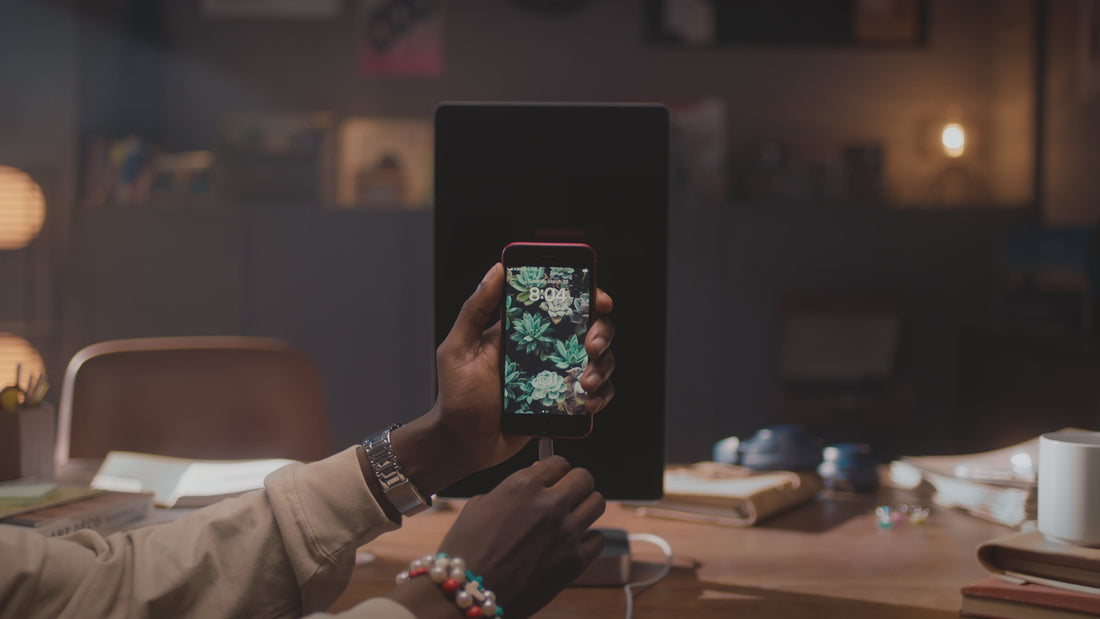
Lafos does not drain battery from your phone, on the contrary, it charges your phone during usage. It enlarges the content of your phone, but it does not add weight to your phone. Because it's not part of your phone when you don't need it. Just leave it at home or office and plug in when you feel like using a bigger screen.
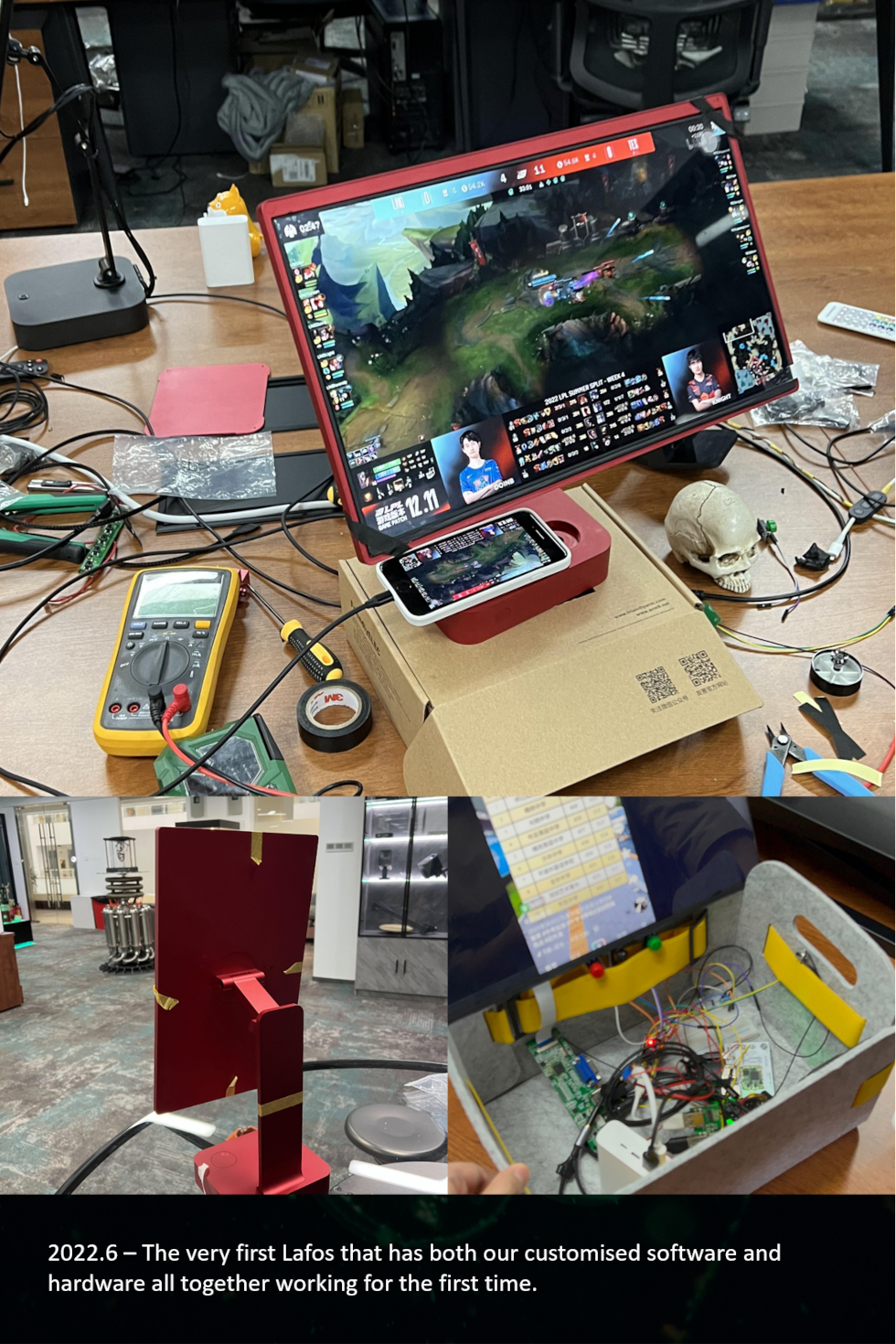
A big part of the design philosophy of Lafos is to allow people to use it effortlessly. We understand there are ways to wirelessly mirror your screen onto a telly, but it's hard to do with all the Wi-Fi password asking and typing, router setting, and button pressings. It's really hard to explain every step of those to your parents over the phone, so they just ended up not using it at all.
That's not what we want. We don't want our users to be frustrated with all the technical details. We hope our customers can relax and enjoy their lives, leaving all the technical challenges for us to handle. We want it to be easy, like really really easy. Like "plug it in" easy. And that's exactly what we did.
Lafos automatically turns on when you need it, and automatically turns off when you leave. You don't even need to press a button. With our customized low friction self-locking revolving shaft, you can easily switch between portrait and landscape with even just one finger.
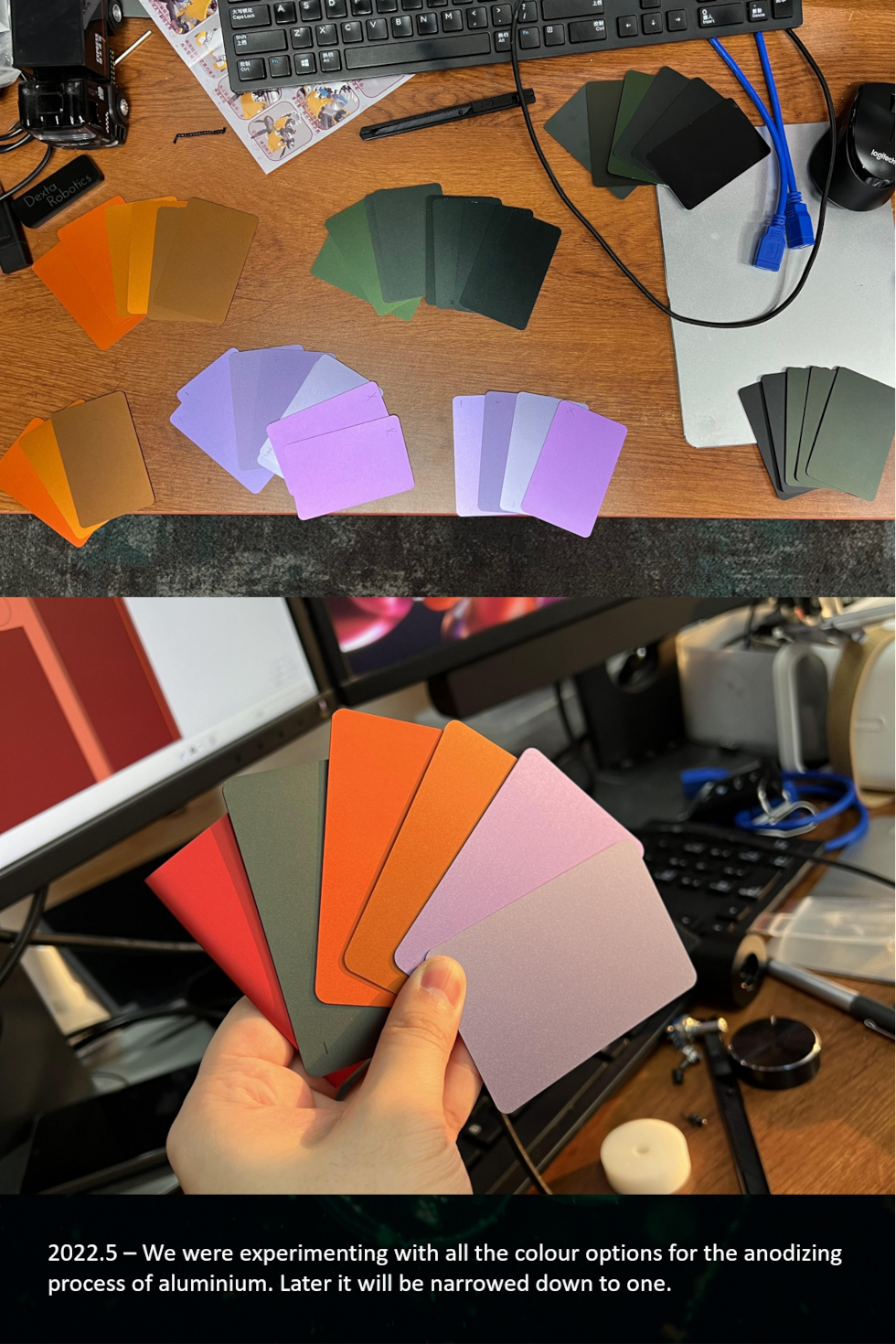
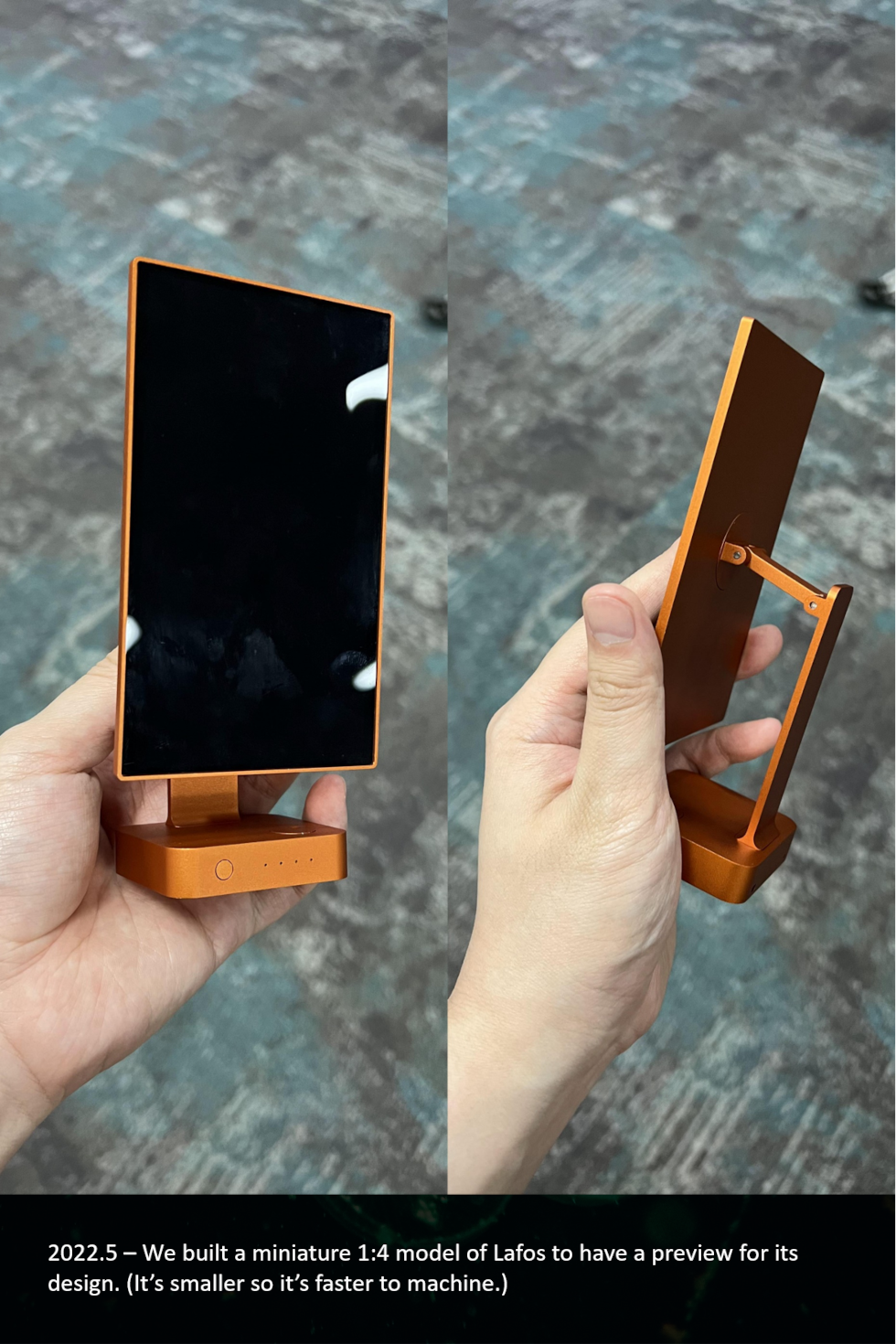
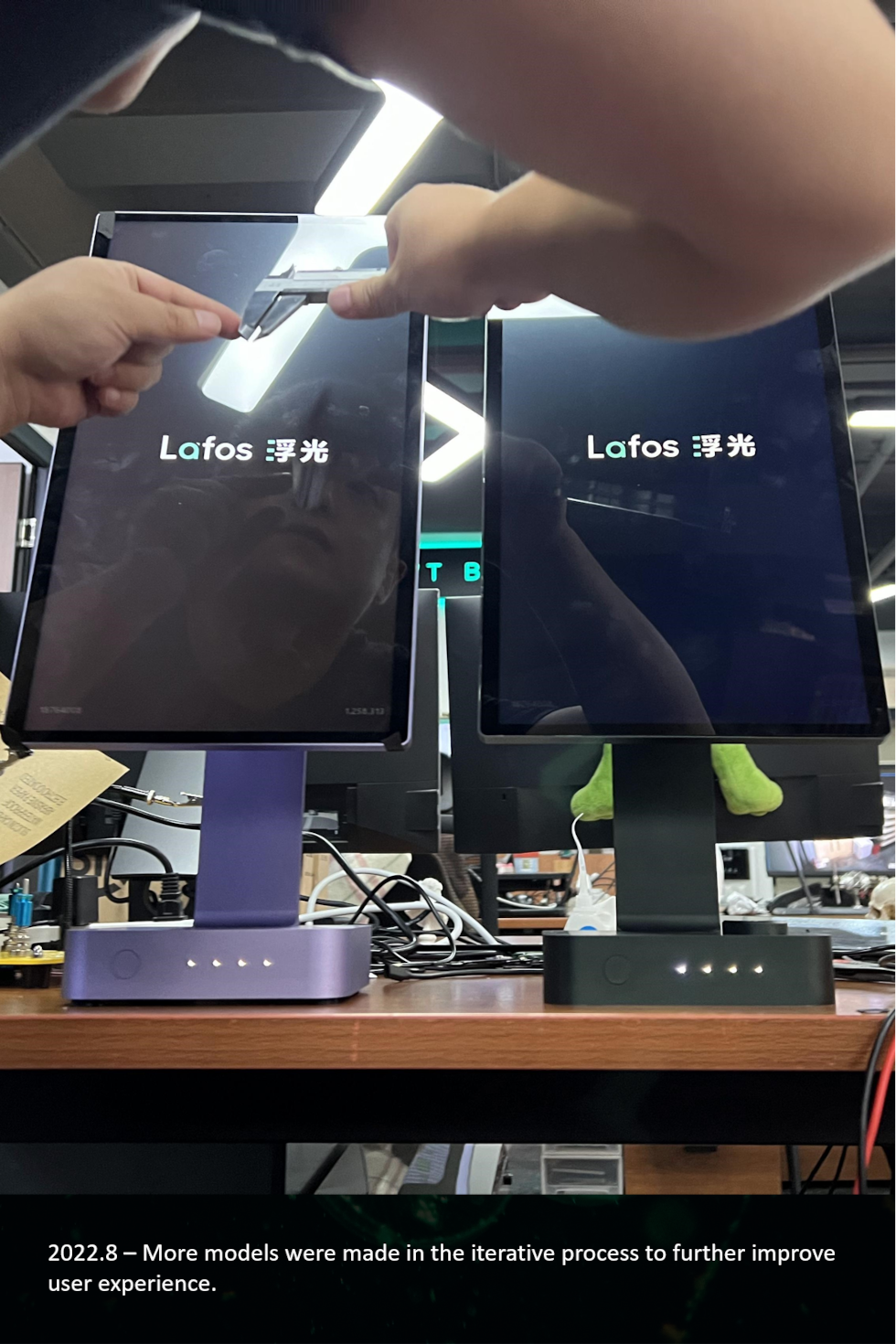
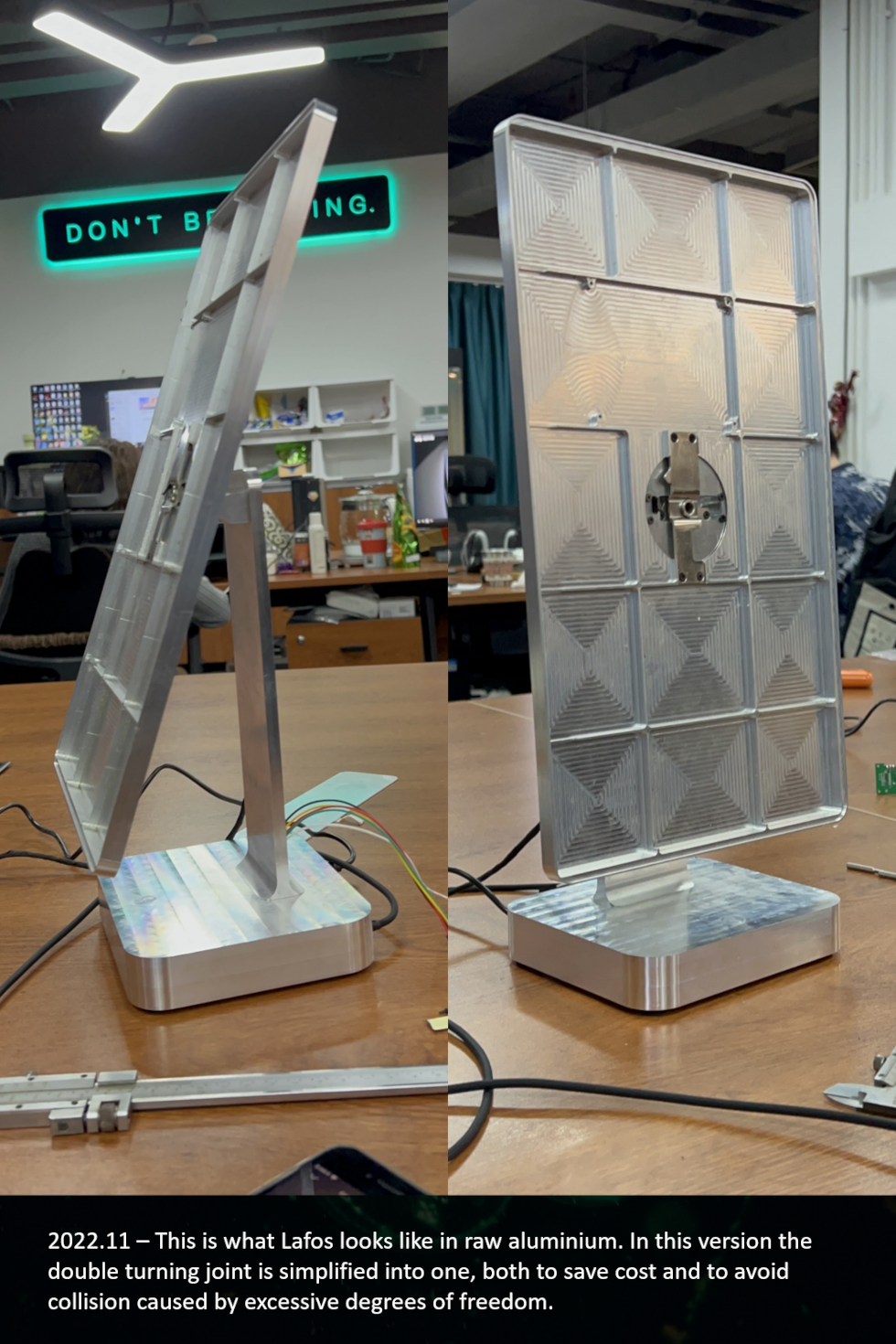
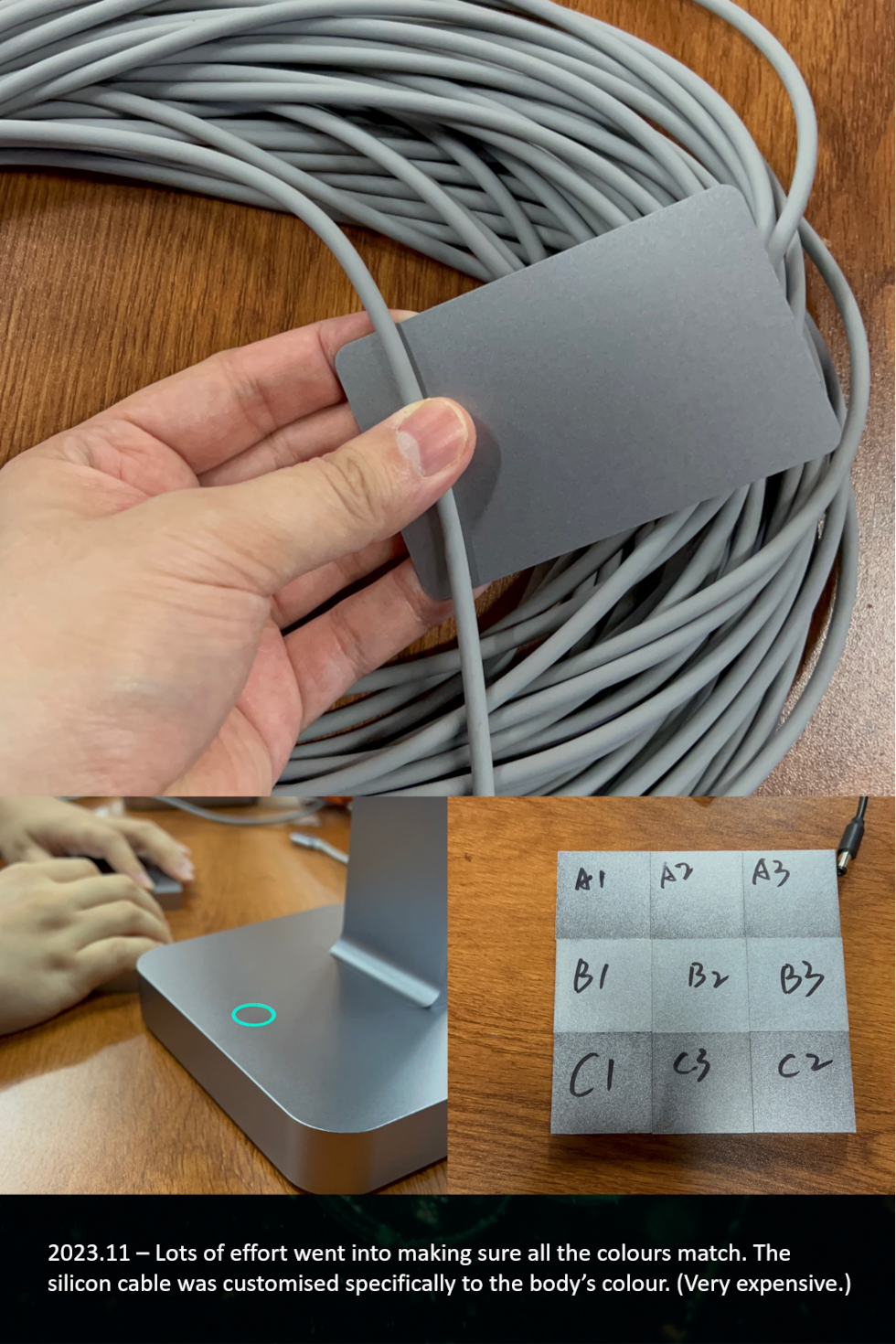
As for the materials, we built Lafos's full body with aluminium. While plastic is certainly cheaper, it could also be a little wobbly. We want it to be nice, and pretty, and stable, and reliable. It seems the sense of value aluminium brings is just so much greater. We certainly hope you would feel the same way.

Frequently Asked Questions
Compatibility
1. Does Lafos support both iPhone and Android phone?
No. The current models of Lafos L Series only support iPhone 5-17 Series.
2. Is Lafos compatible with my iPhone model?
Lafos L Series is compatible with the following iPhone models:
iPhone Air
iPhone 17 Pro
iPhone 17 Pro Max
iPhone 17
iPhone 17e
iPhone 16 Pro
iPhone 16 Pro Max
iPhone 16
iPhone 16 Plus
iPhone 16e
iPhone 15 Pro
iPhone 15 Pro Max
iPhone 15
iPhone 15 Plus
For iPhone 5-14 Series, you can purchase an extra customized Lightning connection cable separately.
iPhone 14 Pro
iPhone 14 Pro Max
iPhone 14
iPhone 14 Plus
iPhone 13 Pro
iPhone 13 Pro Max
iPhone 13 mini
iPhone 13
iPhone SE (3rd generation)
iPhone 12 Pro
iPhone 12 Pro Max
iPhone 12 mini
iPhone 12
iPhone 11 Pro
iPhone 11 Pro Max
iPhone 11
iPhone SE (2nd generation)
iPhone XS
iPhone XS Max
iPhone XR
iPhone X
iPhone 8
iPhone 8 Plus
iPhone 7
iPhone 7 Plus
iPhone 6s
iPhone 6s Plus
iPhone 6
iPhone 6 Plus
iPhone SE (1st generation)
iPhone 5s
iPhone 5c
iPhone 5
3. Is Lafos compatible with my iPad?
Yes. Lafos is compatible with all iPad models.
4. Does Lafos support my TWS headphones, Bluetooth speakers or Bluetooth keyboards & mice?
Yes. You may use Lafos while connecting your personal Bluetooth devices to the phone. If the Bluetooth headphones or speakers are connected but no sound is played, please manually switch to the Bluetooth device for playback on your phone. For Bluetooth keyboards & mice, if it works with your phone, it will work with Lafos connected.
5. Does Lafos support my laptop or computer?
Yes. The current models of Lafos L Series can work as an HDMI monitor via a HDMI cable for devices such as a PC, Mac, PlayStation, XBOX, Nintendo Switch, etc.
Please note: Lafos's USB-C connection port is for smartphone only. Do not use the USB-C connection cable for the HDMI devices. Make sure to use the HDMI port for these devices.
6. Does my standard iPhone/USB-C cable work with Lafos?
No. Lafos only work with its own customized cable. Lafos's cable has sets of unique chips built into the tip to ensure video, audio and control signals can stream simultaneously, whereas a standard iPhone/USB-C cable cannot do so. We made one end of the connector different on purpose so our users won't mistakenly use the wrong cable and have to question if the device malfunctioned. If you need additional Lafos cables you could purchase them separately from our shop.
Functionality
1. Does Lafos come with touchscreen ability?
Yes. For Lafos L Series, you can enable the touchscreen in 3 simple steps:
Set up AssistiveTouch
Make sure the connection cable is NOT plugged into your phone. Go to Settings > Accessibility > Touch > AssistiveTouch. Turn on AssistiveTouch
Lock the screen orientation
Swipe down from the top-right corner of the phone screen to open Control Center,
Make sure Portrait Orientation Lock button is switched from OFF to ON.
Connect Lafos
Keep your phone unlocked and on the Home Screen.
Plug in the connection cable to connect Lafos and your phone.
Please note:
Touchscreen functionality requires iOS 17 or later. Earlier iOS versions of iOS are not supported. Please update to iOS 17 or later.
2. Does Lafos contain battery?
No. The current models of Lafos do not contain batteries and require power connection at all times to operate.
3. Can I adjust the volume of Lafos directly from my phone?
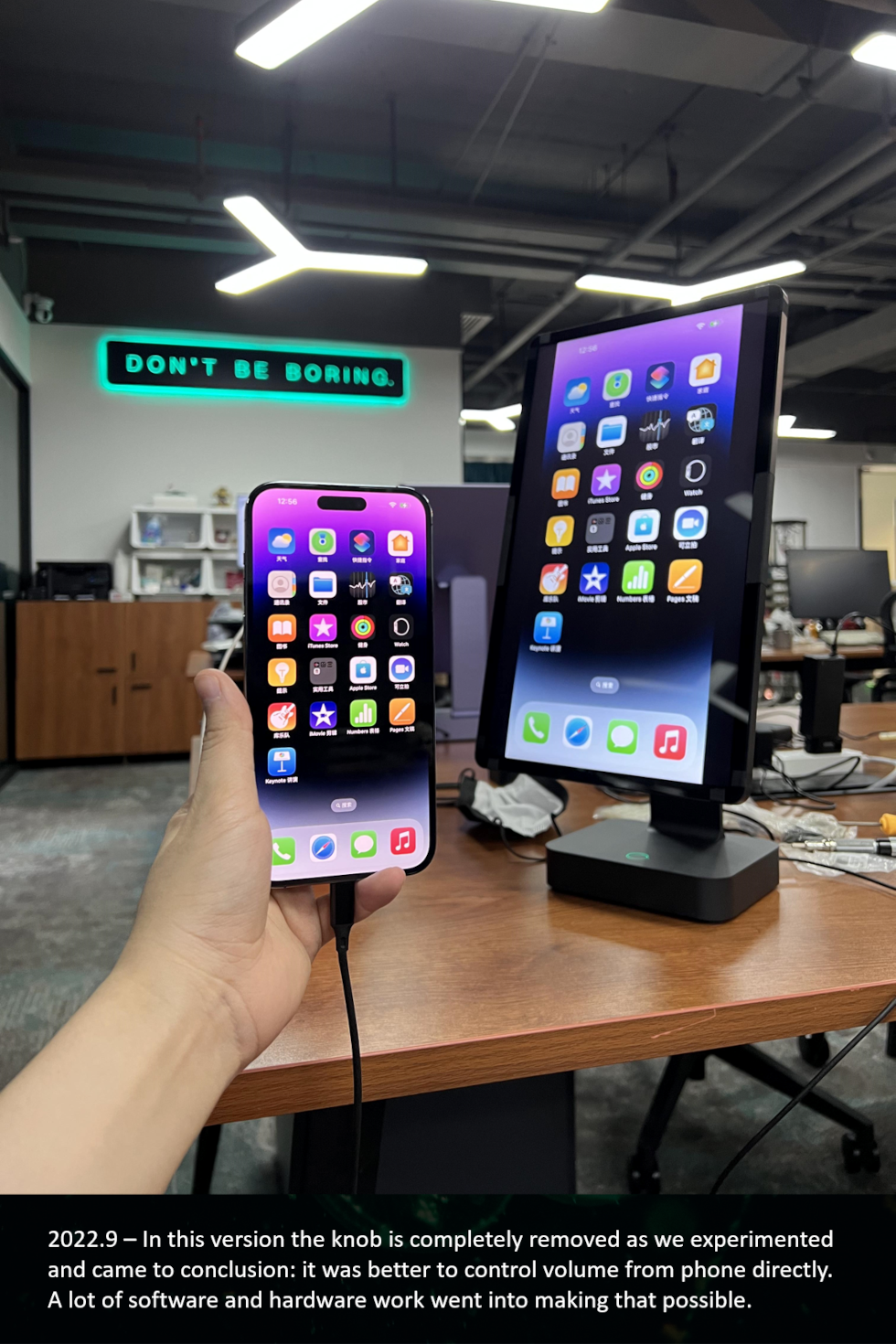
Yes. Adjusting your phone's volume will change the volume of Lafos simultaneously.
4. Can I adjust the brightness of Lafos?
Yes. Press the side button twice will open the touch menu. You can use the brightness slider to adjust the brightness.
5. The touchscreen feels laggy or unresponsive, what should I do?
It may be related to your phone settings. Please follow the steps below:
Lagging or sticky touch response.
Make sure AssistiveTouch is turned on before connecting your phone to Lafos, and keep AssistiveTouch enabled for Lafos to receive touch input. If the issue occurs, press the side button to lock your phone, then press again to wake it. This usually restores the touchscreen. If not, unplug and reconnect the connection cable.
Swiping works, but tapping is unresponsive.
This can usually be resolved by unplugging and reconnecting the connection cable. For a more stable experience, only connect your phone while it is on the Home Screen. Avoid plugging in the connection cable while other apps or are open, as certain apps may cause temporary touch input issues in specific scenarios.
Tapping works, but swiping is unresponsive.
Unplug your phone, turn AssistiveTouch off and back on, and then reconnect to Lafos.
Touch position offset.
If the touch point does not align with, please check the following:
Portrait Orientation Lock is enabled
(Open Control Center, switch Portrait Orientation Lock from OFF to ON.)
Always Show Menu is enabled
(Go to Settings > Accessibility > Touch > AssistiveTouch, scroll down, and ensure Always Show Menu is ON.)
Unlocking screen orientation or disabling Always Show Menu may cause touch calibration issues.
No touch response.
Lafos automatically disables touchscreen input when it detects AirPlay or other video-casting modes to prevent accidental touches. In this case, control playback directly on your phone. Exit the Airplay video, touchscreen input will restore automatically.
After connecting, iPad shows a pointer but the touchscreen does not work.
Some iPad models automatically display a pointer when connected, but touchscreen input is not enabled. Turn on AssistiveTouch, then reconnect the iPad to Lafos.
If the steps above do not resolve the issue, please disconnect your phone from Lafos. Restart your phone. Unplug Lafos from power, wait 5 seconds and reconnect power to Lafos. Once your phone is restarted, reconnect the connection cable.
Content & Display
1. Could Lafos display all the content on my phone such as Hulu & Netflix?
No. It currently does not support Digital Rights Management (DRM) protected content.
Lafos could display most of the content from your phone, such as TikTok, YouTube, Instagram, Twitter, Twitch, Safari, etc. However, due to content protection programs enforced by some specific apps, some videos may not be able to be screened to Lafos.
As for the moment these apps include: Netflix, Hulu, HBO, Amazon Prime Video, Disney+, Peacock, Pluto, as well as some other DRM protected content (such as your local cable TV provider). These platforms have been super strict on allowing mirroring off their content as they spent a lot of money into making them. We are no exception. Lafos cannot stream protected content as for this moment.
However, Lafos does support streaming of basically everything else. If you could find your favourite show on a web browser or if you have downloaded the show to your smartphone, Lafos will be able to display them.
If you are not sure whether Lafos supports your favourite app or not, you may check with us by emailing us or messaging us.
2. Will my phone content always be displayed full-screen on Lafos?
It depends on the display aspect ratio of your phone and the content within. Lafos uses a 16:9 screen. If your phone display is also 16:9 and the content you are playing is 16:9, the content will display in full size on the screen.
For phones of different display aspect ratios, you can use the Zoom-to-fill Switch to maximise your viewing area:
Flip the switch up: Lafos will maximise the display area and remove side black bars (note: some top and bottom content may be cropped).
Flip the switch down: Lafos will retain your phone’s original screen ratio, keep the content as it is.
Delivery
1. When should I expect to receive my Lafos?
Delivery time = Processing time + Shipping time.
Premium shipping generally takes 3-5 days. In some rare cases it could take up to 7 days depending on your shipping location. Processing time may vary based on our stock condition. Typically, the processing time is between 1-3 days, however it can be longer if we run out of stock.
2. Estimate delivery time is changed on the website, is my order being delayed?
If you've already placed orders earlier, then no, they aren't delayed.
We schedule order fulfilments based on promised timelines at the time of your purchase. Delivery dates shift over time, the stated time on the website only applies to current orders.
Warranty & Return
1. What is the warranty policy?
The hardware product and accessories of Lafos are warranted against defects, malfunctions, and failures for one year from the date of delivery. This warranty does not apply to defects caused by normal wear and tear or due to normal aging of the product, or damage caused by accident, abuse, misuse, liquid contact, fire or other external cause. Proof of purchase details may be required for submitting a valid claim under this warranty. International shipping charges may apply depending on location.
2. What is the return policy?
We have a 14-day return policy, which means you have 14 days after receiving your item to request a return.
To be eligible for a return, your item must be in the same condition that you received it, unworn or unused, with tags, and in its original packaging. You'll also need the receipt or proof of purchase.
To start a return, you can contact us at customer@lafos.com.
If your return is accepted, we'll send you a return shipping label, as well as instructions on how and where to send your package. Items sent back to us without first requesting a return will not be accepted.
A 15% restocking fee will be applied to return items. Returned items that are damaged, used or missing parts will incur up to a 100% restocking fee.
If your return is not a result of an error of the shop, we won't refund the original shipping fees.
You can always contact us for any return question at customer@lafos.com.
Damages and issues
Please inspect your order upon reception and contact us immediately if the item is defective, damaged or if you receive the wrong item, so that we can evaluate the issue and make it right.
Exceptions / non-returnable items
Unfortunately, we cannot accept returns on final sale items or gift cards.
Refunds
We will notify you once we've received and inspected your return, and let you know if the refund was approved or not. Please remember it can take some time for your bank or credit card company to process and post the refund too.
If more than 15 business days have passed since we've approved your return, please contact us at customer@lafos.com.
To view other frequently asked questions and answers, you may visit the purchase page.
Let us know what's on your mind:
If you have anything you want to comment on about the product, or how you want us to improve it, feel free to leave a message.